Hybrid Images
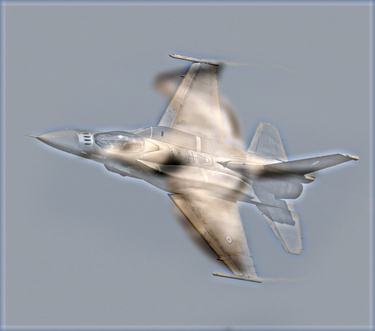
Look at the image from very close and then very far. What do you see?
This project implements image filtering functions to create hybrid images using the technique from the SIGGRAPH 2006 paper by Oliva, Torralba, and Schyns. Hybrid images are static images that change interpretation based on viewing distance - high frequencies dominate close viewing while low frequencies are visible from far away.
Project Details
| Language: | Python with NumPy |
| Key Concepts: | Image filtering, Gaussian blur, frequency domain |
Overview
The goal of this assignment was to write image filtering functions from scratch and use them to create hybrid images. The basic principle is that high frequency components tend to dominate perception when available, but at distance, only low frequency (smooth) components are visible. By blending the high frequency portion of one image with the low-frequency portion of another, we create images that change interpretation based on viewing distance.
Implementation
This project required implementing 5 core functions, each building on the previous:
- cross_correlation_2d
- convolve_2d
- gaussian_blur_kernel_2d
- low_pass
- high_pass
Image Filtering
Implemented cross-correlation and convolution from scratch using for loops and NumPy vectorization, without using any pre-built filtering functions. This provided fundamental understanding of how spatial filters work at the pixel level.
Gaussian Blur
Created a 2D Gaussian kernel generator that produces weighted averaging kernels for smooth blurring effects. The kernel size and standard deviation (sigma) control the amount of blurring.
Frequency Filtering
Implemented high-pass and low-pass filters using Gaussian blur. Low-pass filters remove fine details (keep coarse features), while high-pass filters retain only fine details by subtracting the blurred version from the original.
My Results
My Implementation Results
Parameters used:
• right_size: 8.0
• left_size: 13.0
• right_sigma: 4.1
• left_sigma: 7.0
• mixin_ratio: 0.65
• scale_factor: 2.0
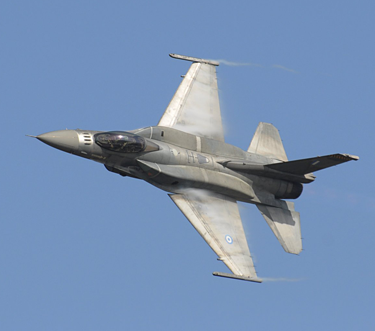
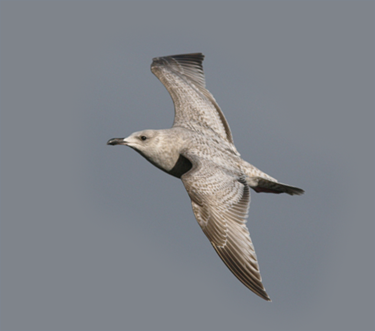
Processing Steps
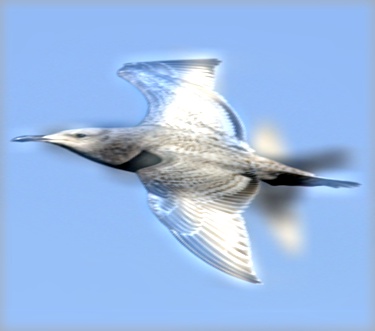
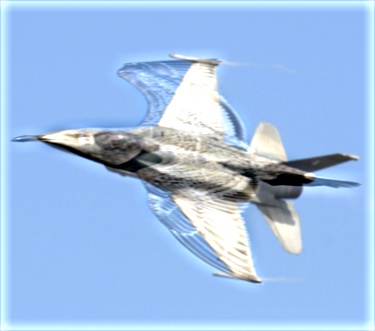
Final Hybrid Image at Different Scales
The effect becomes more apparent when viewing the image at different scales:
Key Learnings
- Spatial Domain Filtering: Gained hands-on experience implementing convolution and cross-correlation from first principles
- Frequency Analysis: Understanding how high and low frequency components affect image perception
- Parameter Tuning: Learning to adjust sigma values and kernel sizes for optimal hybrid effects
- Python/NumPy: Developing efficient image processing code using vectorized operations
Technical Details
Implementation Constraints
Forbidden Functions: No NumPy, SciPy, OpenCV, or other pre-built filtering functions allowed. Only basic operations like np.shape, np.zeros, np.transpose, np.flip, and np.pad were permitted.
Core Challenge: Implementing all filtering operations using for loops and NumPy vectorization to understand the underlying mathematics.